Your friend. Your new rap partner.
Make an AI rap video with your best friend: one portrait each, a shared mic and a new clip for the group chat.
Bring a friend or your partner. We create the performance, original music and AI vocals. No editing skills needed.
Turn two portrait photos into a Migos AI-inspired rap video, with AI vocals and original music, with automatic or custom lyrics. Choose 5, 10 or 15 seconds and download your MP4 in the aspect ratio you choose.
Try a free AI studio photo. Video generation starts at $1.99.
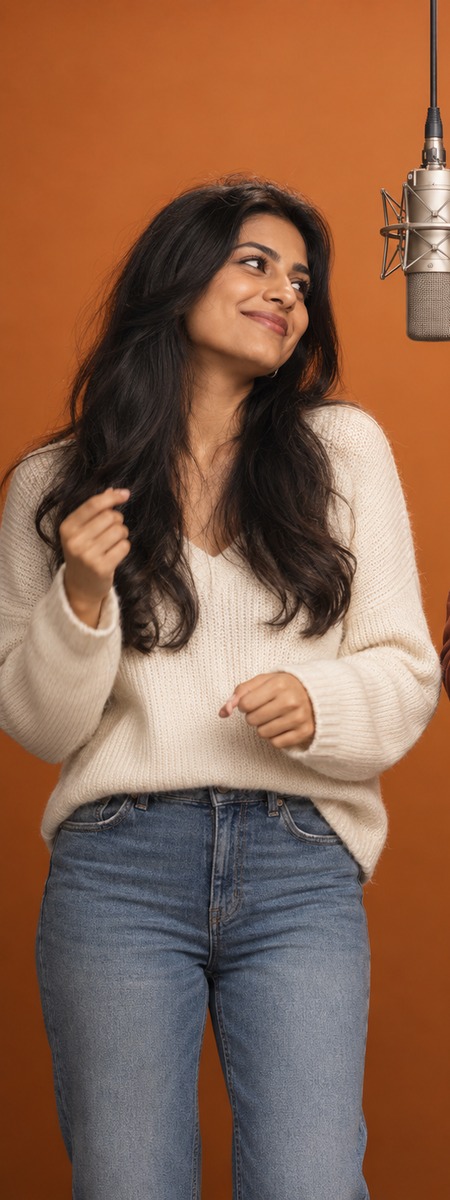 THE INPUT ↗
Generated on hotellobby.site · October 11, 2026Three unedited videos generated through the current website with fictional adult portraits. Your results can vary.About these samples
Two portraits, your choice of lyrics. We handle the stage, the beat and the performance.
One adult person per photo. JPG, PNG or WebP · up to 10 MB.
AI writes short, original bars in your chosen language. Page language and vocal language can be different.
Vocals and lip sync are AI-generated. Wording, pronunciation and timing can vary.
A still image, not a video preview. Video generation is paid.
Watch examples with sound · Confirmed technical failures return credits.
Upload your portraits and step into the orange studio. Your finished video will appear here.
Hotel Lobby AI is a two-photo AI video generator that turns separate portrait photos into a short rap duet. Two performers share a hanging microphone in an orange studio, with AI-generated vocals and original music, with automatic or custom lyrics. You choose 5, 10 or 15 seconds, then download an MP4 in your chosen aspect ratio.
The visual format takes inspiration from Quavo and Takeoff’s Hotel Lobby performance on A COLORS SHOW, often called the Migos AI or AI Migos trend. This independent generator creates a new performance using your two references. Bring a friend, your partner or an adult family member, with their permission.
Explore the Migos AI trendFriends, couples and adult family members can all share the booth. Watch these actual AI rap duets with sound, then compare the portrait references and settings on the examples page before choosing your take.
Make an AI rap video with your best friend: one portrait each, a shared mic and a new clip for the group chat.
Turn two couple portraits into a playful duet for a date-night surprise or an anniversary message.
Bring two adult family members into the booth for a birthday greeting or a family-chat moment.
Generated on hotellobby.site · October 11, 2026Three unedited videos generated through the current website with fictional adult portraits. Your results can vary.About these samples
Make a two-person AI rap duet in your browser. The studio scene and original soundtrack are included, so you do not need to write a prompt or record a performance.
Read the Hotel Lobby AI creation guideAdd one clear adult portrait for each performer, with their permission. Put the first on the left and the second on the right, or swap their sides.
Pick 5, 10 or 15 seconds and 480p or 720p. Sign in and buy a one-time credit pack if needed. Review the exact cost before starting; your draft stays in the same browser for 24 hours.
Submit your take, then check its saved status in My Videos. When it is complete, listen to the original AI rap, review the faces and download your MP4 in the aspect ratio you choose.
Every format includes two performers, original AI audio and an MP4 download. Choose adaptive framing or 16:9, 4:3, 1:1, 3:4 or 9:16. Choose 480p for a lower credit cost or 720p for a sharper picture. A 10 or 15-second take gives the performance more time; resolution does not guarantee closer facial resemblance.
The generator starts at 480p and 5 seconds, costing 80 credits. Browsing examples and preparing photos is free. Video generation uses purchased credits, and the exact cost appears before you submit.
See all credit packs & pricing| Picture quality | 5 seconds | 10 seconds | 15 seconds |
|---|---|---|---|
| 480pStandard | 80credits | 160credits | 240credits |
| 720pHD | 160credits | 320credits | 480credits |
$1.99 for 160 credits
Enough for 2 takes at 480p / 5 seconds, or 1 at 720p / 5 seconds, when used entirely for that format. Leftover credits stay in your account.
One-time purchase · Credits do not expire · USD before applicable taxThe orange booth is inspired by the Hotel Lobby trend. Use your own lyrics or let AI write them. The beat and performance are generated fresh. Faces, gestures and lip sync can vary between takes. See our examples to get a feel for the results. The video includes newly generated audio rather than the original Hotel Lobby recording, and does not clone the original artists’ voices. Hotel Lobby AI is independent of Migos and COLORS.
Use two separate, clear portraits with one adult in each image. A front-facing face, even lighting and similar framing give the model useful identity references. If your duo is in one group photo, crop each person into a separate file before uploading.
Your first photo guides the left performer and the second guides the right. Use the swap button to exchange their sides. The photo preview shows your inputs; the finished AI performance appears after generation.
Read the portrait & troubleshooting guideUse JPG, PNG or WebP, up to 10 MB per photo and at least 240 pixels on each side. Avoid distant faces and extreme side profiles.
Choose an unobstructed face. Deep shadows, sunglasses and heavy beauty filters can hide the details the model needs.
Use adult portraits you have permission to upload. Both people must agree to the use of their likenesses in an AI video.
Yes. Select Write my lyrics and enter the words you want performed. Put each short line on a new line: the left performer starts, then the right, alternating throughout. The model is asked to preserve your wording and language, but exact delivery, pronunciation and lip sync can vary.
Yes. English and Simplified Chinese pages are available. Automatically written rap can use English or Mandarin. With custom lyrics, Follow my lyrics preserves the language of your text, including mixed English and Chinese. Page language changes do not translate or replace your draft.
Upload two separate adult portraits, choose who stands on each side, then select the aspect ratio, 480p or 720p and 5, 10 or 15 seconds. Sign in, review the credit cost and generate. Choose English or Mandarin for automatic lyrics, or enter your own lyrics in their original language. The video includes AI vocals and original music, and you can download it as an MP4.
The trend takes inspiration from Quavo and Takeoff’s Hotel Lobby performance on A COLORS SHOW: two performers, an orange backdrop and one suspended microphone. Migos AI is another name people use for this visual format.
Your clip includes AI-generated vocals and original music. It does not contain the original Hotel Lobby recording or clone the original artists’ voices. Movement is generated, rather than an exact copy of the original choreography.
Each account gets 1 free AI booth photo. Video generation uses purchased credits. The First Take pack is $1.99 for 160 credits: one 720p / 5-second video or two 480p / 5-second videos. It is available before your first purchase, once per account. No subscription required.
A 480p video costs 80 credits for 5 seconds, 160 for 10 seconds or 240 for 15 seconds. A 720p video costs 160 credits for 5 seconds, 320 for 10 seconds or 480 for 15 seconds. The first-purchase pack starts at $1.99 USD before applicable tax, once per account. Credits do not expire, and each new take of a completed video uses credits again.
Completed Hotel Lobby AI videos are MP4 files with original AI audio. Choose an adaptive aspect ratio or 16:9, 4:3, 1:1, 3:4 or 9:16, plus 480p or 720p and a duration of 5, 10 or 15 seconds before generating. Adaptive lets the model choose the framing. The default is 9:16, 480p and 5 seconds. Higher resolution makes the picture sharper but does not guarantee closer facial resemblance.
Use two clear, well-lit portraits with one adult person in each and their permission. Front-facing faces and similar framing give the model clearer identity references. JPG, PNG and WebP are supported, up to 10 MB each and at least 240 pixels on each side. Crop a group photo into separate portraits before uploading.
Yes. The first portrait guides the left performer and the second guides the right. Use the swap button in the generator to exchange them before submitting. The model is asked to keep the two identities separate, but resemblance and placement can still vary between takes.
Generation usually takes a few minutes, and queues can take longer. Each sample lists its observed wait; timing is not a guarantee. Submitted tasks remain in My Videos if you leave the page.
A confirmed technical generation failure returns the reserved credits once. A pending task stays pending until its status is known. Creating a different take of a completed video uses credits again.
Both subjects guide the generated performance, but resemblance, hands, mouth movement and lyrics can vary. View the real examples before buying. Higher resolution makes the image sharper; it does not guarantee better resemblance.
Drafts, including photos, lyrics and settings, are saved in this browser and expire after 24 hours. Source photos are scheduled for deletion after 24 hours, usually removed within 48 hours; sources needed by a pending task remain until it is resolved. Videos are available for 30 days and usually removed within 31 days. You can delete a completed take in My Videos. See the privacy policy for details.
Follow the full walkthrough: choose two photos, set the format, sign in, review credits and download your rap duet.
Find practical guidance for unclear faces, blended identities, upload problems and a take that is still processing.
Learn where the orange-booth format comes from and how this generator’s original audio and motion work.